Recommended by Mr. Magic · Ends December 1, 2026

EVOTO BLACK FRIDAY OFFER

Save up to 35% on selected plans

Shop through my link or enter code RAREMAGIC at checkout. Check your eligible discount and bonuses before completing payment.

Evoto code

RAREMAGIC

Eligible purchases may include bonus creative assets and other Evoto benefits. Check the offer shown at checkout.

Evoto plans and credits are bought on Evoto. RareMagic preset kits are separate purchases bought on Selar. Neither includes the other.

Offer and discounts set by Evoto and may vary by plan and account. I earn a commission on qualifying purchases made through my link or code.

Get RareMagic Editing Looks

Launch price ends in

--days
--hours
--minutes
--seconds

Ends Friday, 27 November 2026 at 8:00 PM Nigerian time (WAT)

When this countdown hits zero, each kit moves to its after-launch price shown below.

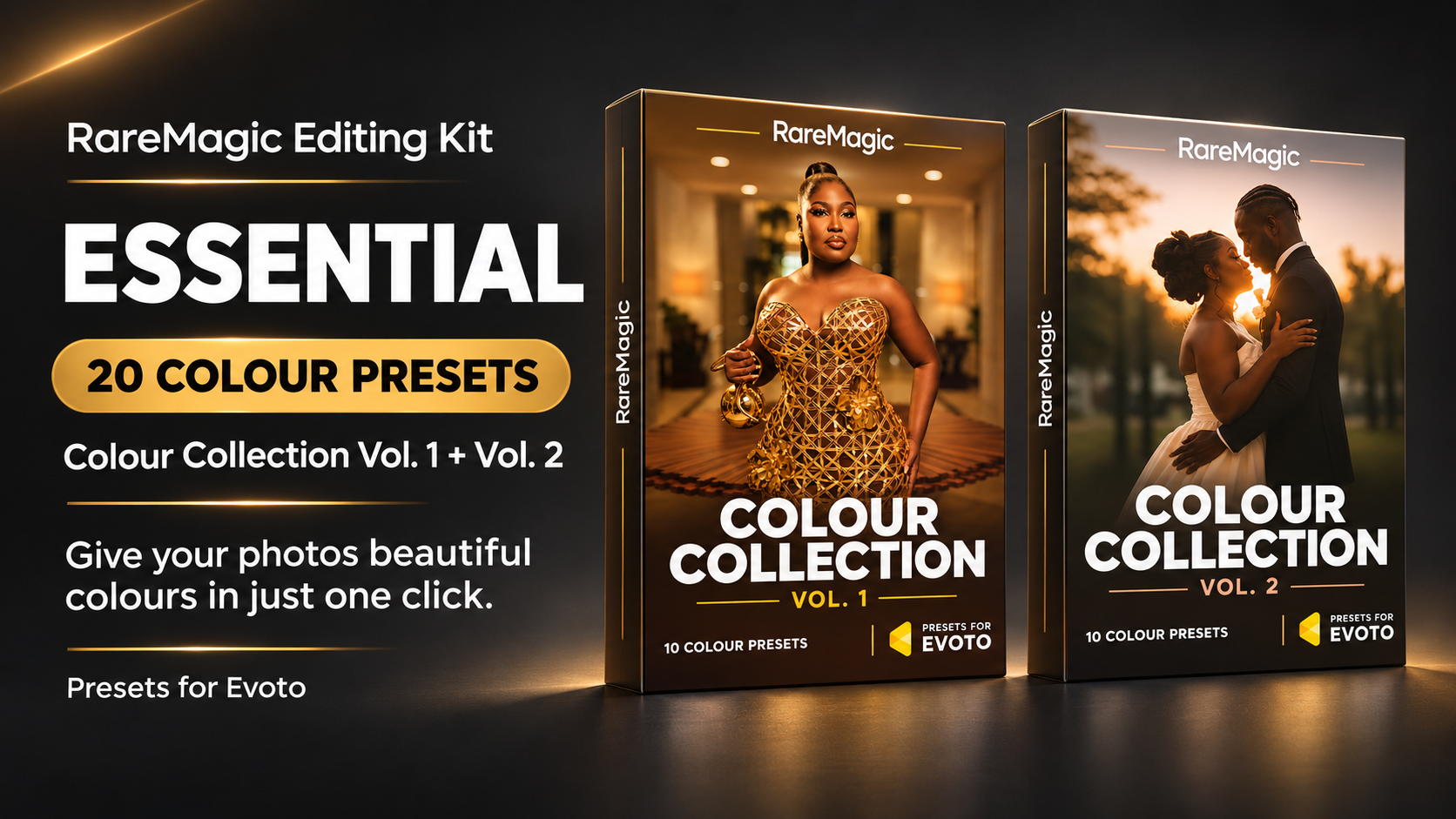
RareMagic Essential kit: Colour Collection Vol. 1 and Vol. 2, 20 colour presets for Evoto

Essential

20 colour presets

One-page PDF access guide with codes for both colour collections (20 presets) and installation steps. Download after successful Selar payment.

$19

-- left at this price

Launch price

After launch: $30

Final currency and total are confirmed on Selar.

  • Colour Collection Vol. 1 — 10 presets
  • Colour Collection Vol. 2 — 10 presets
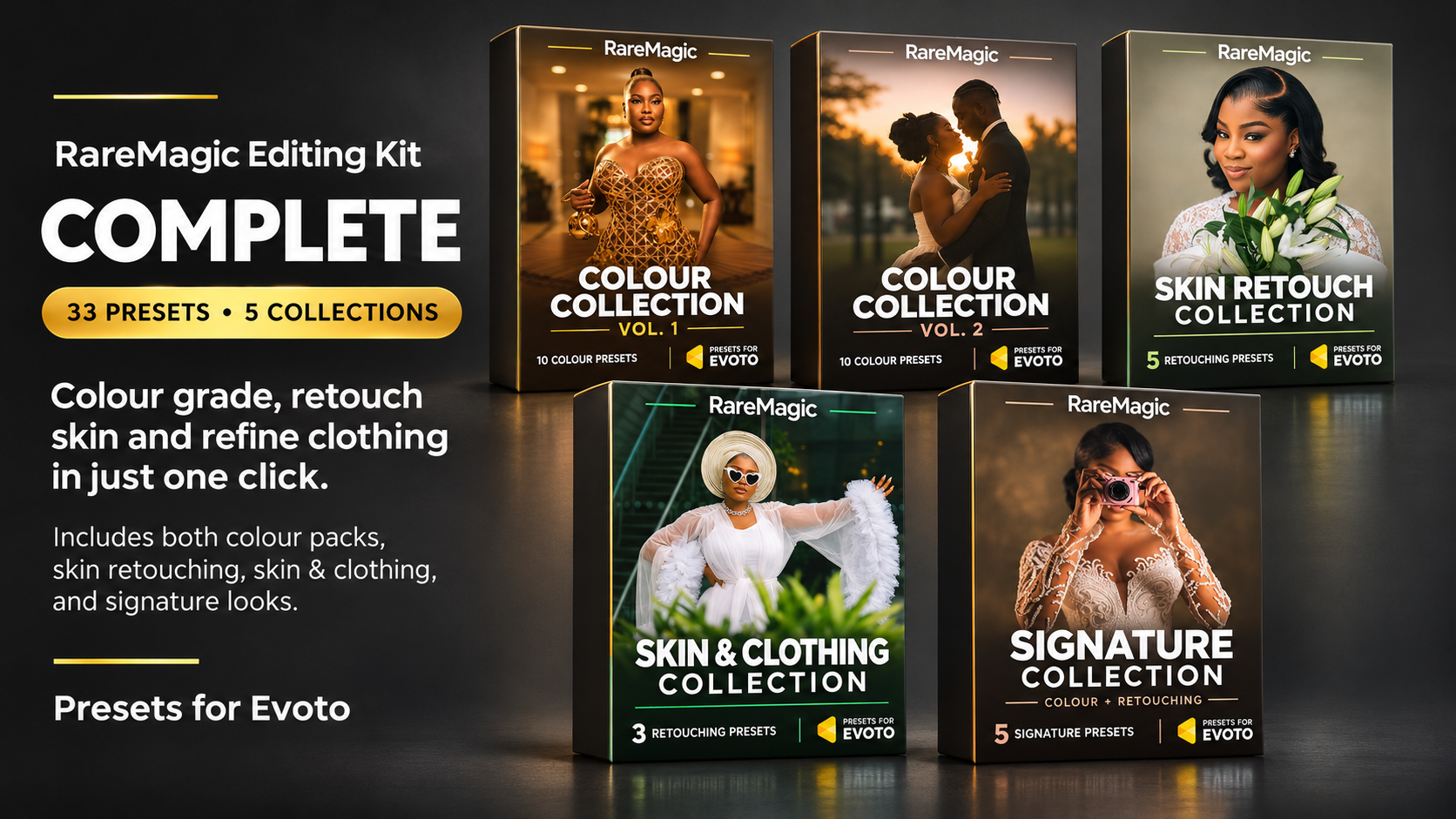
RareMagic Complete kit: five Evoto preset collections, 33 presets

Complete

All 5 collections

33 presets · 5 collections

One-page PDF access guide with codes for all five collections (33 presets) and installation steps. Download after successful Selar payment.

$40

-- left at this price

Launch price

After launch: $60

Final currency and total are confirmed on Selar.

  • Both colour collections — 20 presets
  • Skin Retouch — 5 presets
  • Skin & Clothing — 3 presets
  • Signature colour + retouching — 5 presets

PDF guide available after successful Selar payment. Evoto software and required credits sold separately. Digital presets only.

How it works

  1. Step 1

    Choose your kit

    Essential: 20 colour presets. Complete: all 5 collections, 33 presets.

  2. Step 2

    Pay securely on Selar

    Complete your payment through Selar's secure checkout.

  3. Step 3

    Download your PDF guide

    After successful payment, download your one-page guide. Copy its codes into Evoto and start editing.

Your PDF contains preset codes and simple installation steps, not XMP files. Import the codes to add presets in Evoto.

Installation

How to import your preset tokens into Evoto
  1. Open Evoto and open a photograph.
  2. In the Presets panel, click the + button.
  3. Choose Import Preset(s).
  4. If shown, choose the preset token option.
  5. Copy and paste the full token code from your downloaded PDF access guide.
  6. Click Import.
  7. Select the imported preset to apply it.

Repeat for each collection code in your PDF guide. Importing the codes adds your presets in Evoto.

Official help: evoto.ai/start

Questions

Are the Evoto offer and the preset kits the same purchase?

No. Evoto plans and credits are bought on Evoto through my link or code RAREMAGIC. RareMagic preset kits are separate purchases bought on Selar. Neither includes the other.

When do the offers end?

The Evoto Black Friday offer runs until December 1, 2026, as set by Evoto. The RareMagic preset kit launch price ends Friday, 27 November 2026 at 8:00 PM Nigerian time (WAT).

How is each purchase delivered?

Evoto delivers your plan, credits and any eligible benefits in your Evoto account. RareMagic kits: after successful Selar payment, you download a PDF guide with your preset codes.

Do I need Evoto?

Yes. These presets work only in Evoto. The Evoto software and any Evoto credits are purchased separately.

Is anything physical shipped?

No. These are digital presets only — the boxes shown are illustrations. Nothing is shipped.

Essential or Complete?

Essential gives you the two colour collections (20 presets). Complete adds Skin Retouch, Skin & Clothing and Signature collections — all 5 collections, 33 presets.

How do I receive my presets?

After successful payment on Selar, download your one-page PDF access guide containing your kit's Evoto preset token codes and simple installation steps. Essential includes both colour collections (20 presets); Complete includes all five collections (33 presets).

Does the PDF contain XMP files?

No. The downloadable PDF contains Evoto preset token codes, not XMP files. Copy and import each code into Evoto to add your presets, then select a preset to start editing.